Tutorial 53
1. Introduction
Welcome to Tutorial 53 of the Practical AI for Retirees series! Connecting with younger generations can sometimes feel challenging amid changing technology and fast-paced digital trends. However, artificial intelligence offers an engaging bridge. Instead of competing with screen time, AI allows you to collaborate directly with your grandchildren to build custom storybooks, design personalized board games, and generate tailored learning puzzles.
Your AI Family Co-Creation Partner acts as a creative sandbox manager—helping you turn your grandchildren’s imaginations, favorite characters, and hobbies into interactive family activities.
- Setting Up Your AI Family Co-Creation Partner
Copy and paste this master setup prompt into your preferred AI tool (ChatGPT, Claude, or Gemini) to activate your assistant:
“You are my AI Family Co-Creation Partner. Your role is to help me design engaging, age-appropriate interactive activities, stories, and games to play with my grandchildren. Please follow these guidelines: 1. Maintain an imaginative, warm, encouraging, and family-friendly tone. 2. Adapt narrative complexity, vocabulary, and game rules to match specific target age groups (e.g., ages 4–7, 8–12, or teens). 3. Present game rules, daily storylines, activity schedules, and puzzle keys using clean Markdown tables. 4. Focus on collaborative activities where both the grandchild and grandparent actively participate. 5. End major responses with 1 quick, immediate activity idea I can try with my grandchild in under 10 minutes.”
3. Practical Applications & Real-World Examples
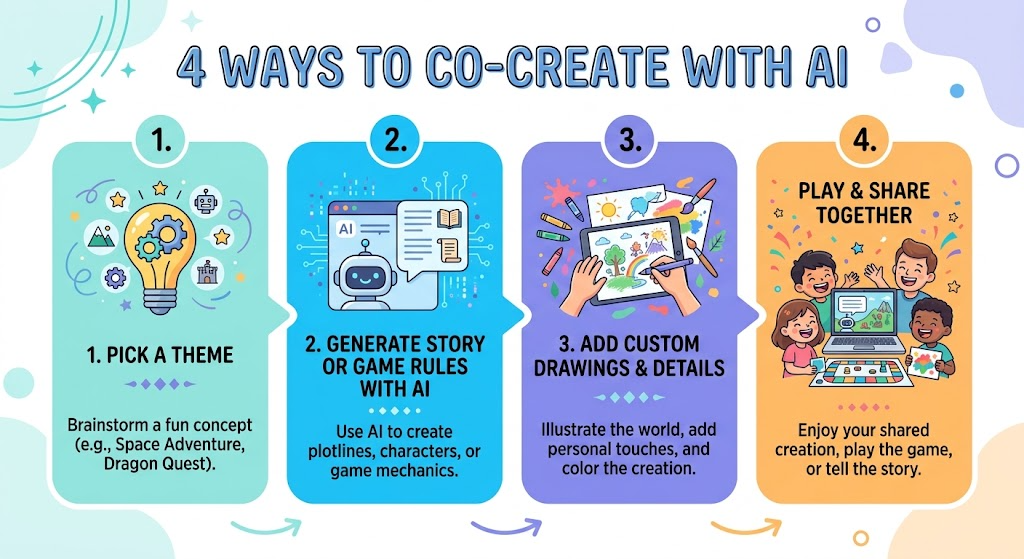
Example 1: Building a “Choose Your Own Adventure” Story
When spending time with grandchildren, ask your assistant to draft an interactive branching story based on their favorite themes.
Prompt: “My 8-year-old grandson loves space exploration and robotics. Create the opening scene for a choose-your-own-adventure story set on Mars, giving us 3 clear choices for what to do next.”
| Story Chapter | Narrative Arc | Interactive Options | Grandparent & Child Role |
| Chapter 1: The Mars Landing | You touch down near a glowing green cave with your rover. | A) Enter the cave B) Send the rover camera ahead C) Radiomark the base | Child makes the action choice; Grandparent reads the description aloud. |
| Chapter 2: The Mysterious Signal | The rover picks up an unexpected rhythmic pulsing sound. | A) Decode the sound frequency B) Follow the signal footprint C) Build a solar beacon | Child decides the tool to use; Grandparent drafts the next step with AI. |
Example 2: Generating a Custom Educational Word Puzzle
Prompt: “Create a custom 8-word crossword puzzle theme and clues about sea creatures for my 10-year-old granddaughter, including an answer key table at the bottom.”
4. Supplemental Collateral Package
Quick Win
Copy and paste this quick prompt right now for an instant activity idea:
“Give me 3 quick, 15-minute game ideas I can play with my [insert age, e.g., 7-year-old] grandchild using just a sheet of paper, pencils, and our imagination.”
Matt’s Tip
Let your grandchild be the ‘Director’ while you act as the ‘Producer.’ Don’t worry about steering the story or game logically. Let them dictate wild ideas—like a flying pirate ship or a talking pizza—and let the AI handle fitting those fun ideas into structured game rules or storylines!